

You know what?
Choosing the right keyword research tool feels like hunting for gold. It can be a real game-changer for your SEO strategy—or a total dud.
I once read that over 90% of online experiences start with a search engine—crazy, right?
That stat alone should make you realize how critical it is to find the perfect tool.
So, let’s talk about KWFinder. I’ve spent countless hours wrestling with keyword research tools, and trust me, they’re not all created equal.
Some are clunky, some are overpriced, and some just don’t give you the data you need.
But our KWFinder review? Well, let’s dive and see if it’s the golden ticket we’re all searching for.
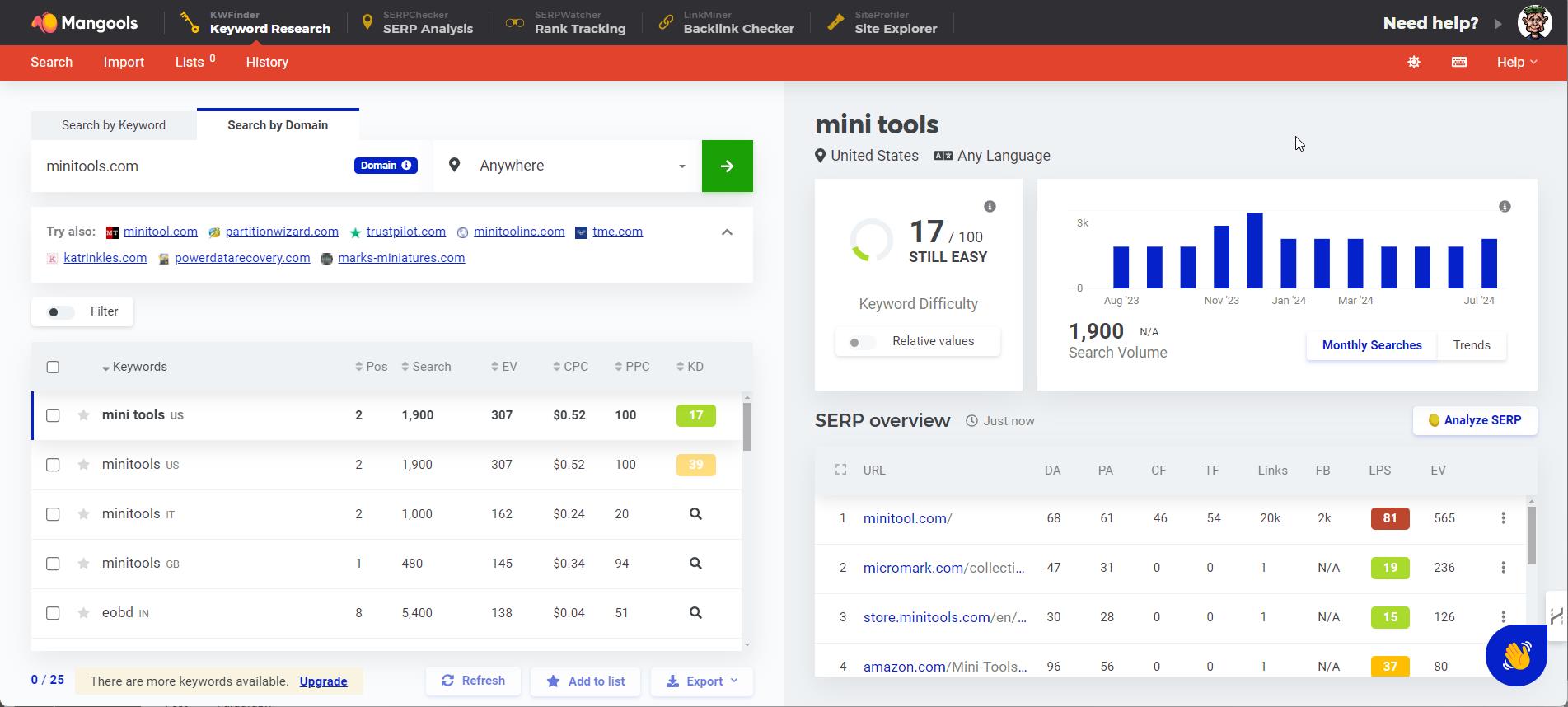
What is KWFinder?
First off, KWFinder is like that reliable friend who’s always there when you need them—steady, dependable, and surprisingly helpful.
I remember when I first stumbled upon KWFinder. I was so fed up with other tools that seemed to overcomplicate everything. I needed something simple, something that wouldn’t make my head spin every time I tried to find a decent keyword.
That’s where KWFinder came in. It’s built by Mangools, a company that’s been around for a bit, and they really seem to understand what users need.
KWFinder is designed for anyone who wants to do keyword research without needing a PhD in data science. From bloggers to small business owners, this tool is pretty darn versatile.
Key Features of KWFinder
User-friendly interface:
Let me tell you something—I’m not a tech wizard, and I don’t have the patience for tools that look like they belong in a spaceship.
KWFinder’s interface? It’s clean, straightforward, and actually enjoyable to use. I’m talking about easy navigation, with everything laid out just where you’d expect it to be.
No hunting around for features or getting lost in a sea of buttons. I remember the first time I logged in; it felt like a breath of fresh air compared to other tools that made me want to pull my hair out.
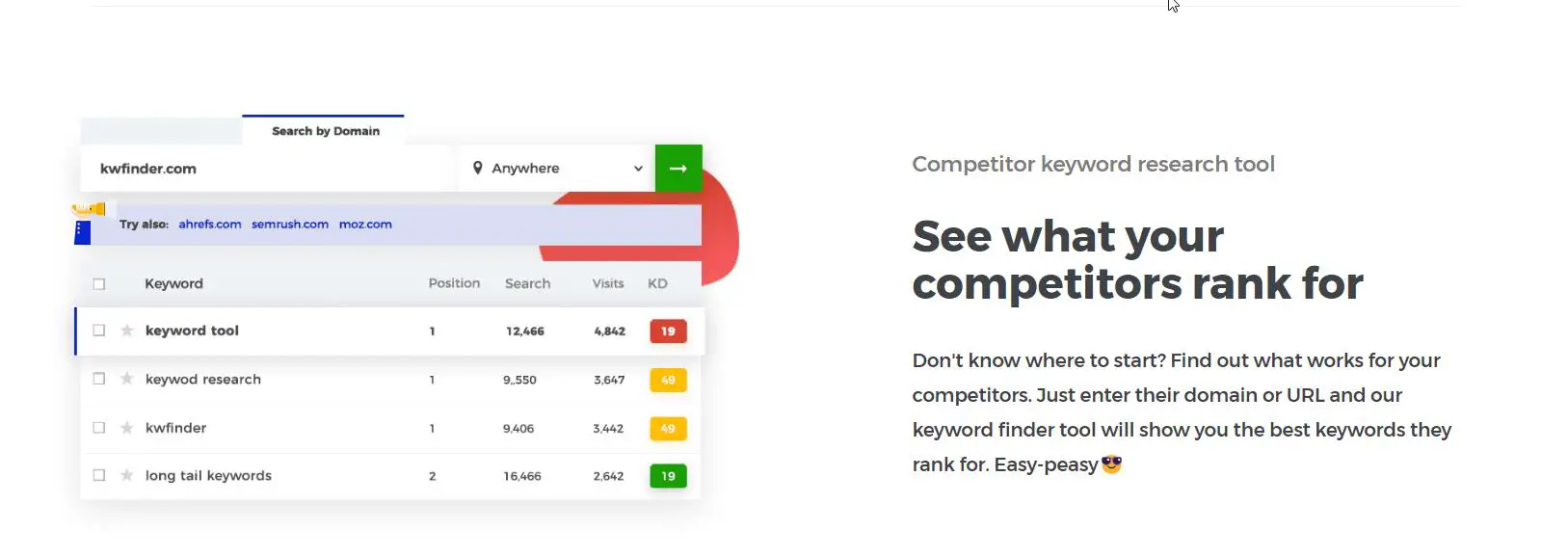
The visual data representation is a bonus, too—no need to squint at tiny numbers in a spreadsheet.
Keyword difficulty analysis:
Alright, here’s where KWFinder really shines. You know how some tools give you a keyword difficulty score, but it’s so vague you might as well flip a coin?
KWFinder actually makes this useful. I learned the hard way that targeting keywords with high difficulty is like trying to outrun Usain Bolt—just not gonna happen.
KWFinder’s keyword difficulty score vs other keyword research tools data is accurate and easy to understand. It’s color-coded, so even on a bad day, I can tell at a glance whether a keyword is worth pursuing. This feature alone has saved me countless hours and a ton of frustration.
Search volume and trend analysis:
Here’s a little tip from me to you—never ignore search volume. It’s tempting to jump on keywords that sound cool, but if no one’s searching for them, you’re wasting your time.
KWFinder gives you the search volume data right up front, along with trends over time.
I’ve found this especially helpful for seasonal content. Last year, I planned a bunch of blog posts around a keyword I thought was hot, only to realize it was a flash in the pan.
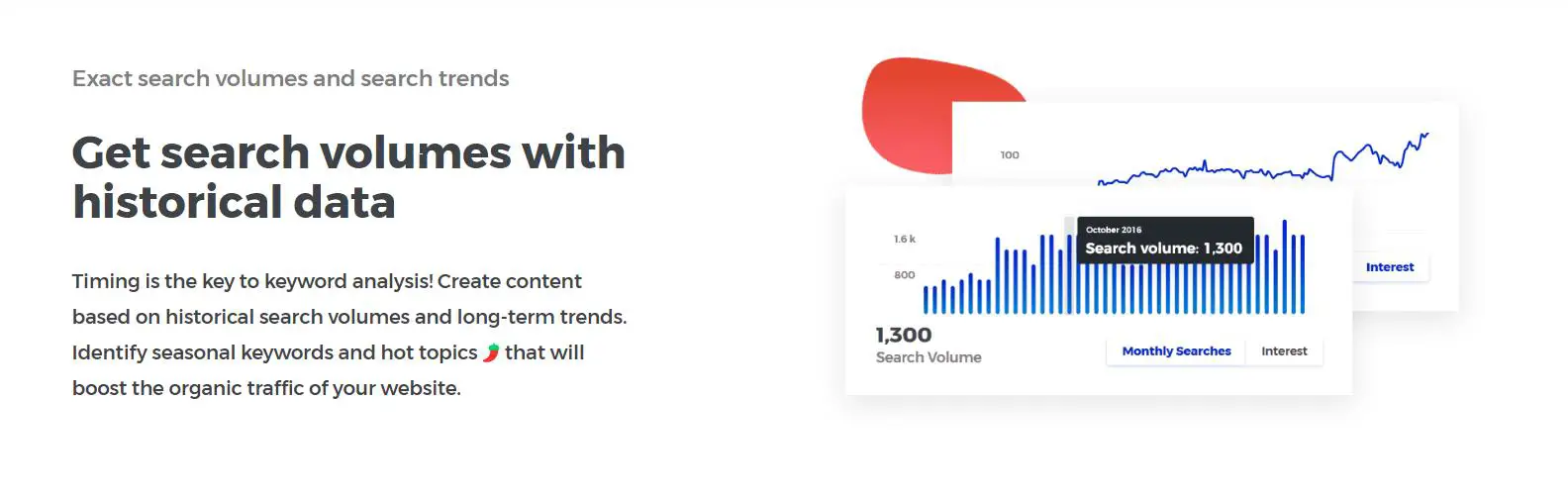
Now, I always check the trends with KWFinder first. It’s like having a crystal ball for keyword popularity.
Local keyword research:
If you’re into local SEO, you’re gonna love this. KWFinder lets you drill down into specific locations, so you’re not just guessing what people in your area are searching for.
I remember when I was working on a local campaign, and I had no clue what keywords would resonate in such a small market.
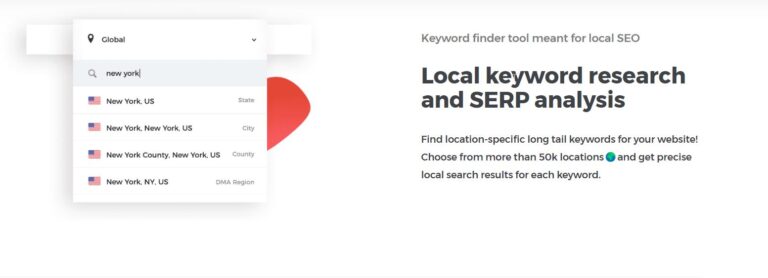
KWFinder made it a breeze to find keywords that were actually relevant to my area. It’s a game-changer for local businesses that need to target specific geographic regions.
Competitor keyword analysis:
Ever wonder how your competitors are crushing it with their SEO? KWFinder’s got this awesome feature that lets you see what keywords they’re ranking for.
I can’t tell you how many times I’ve kicked myself for not using this sooner. It’s like peeking into your competitor’s playbook.
Once, I discovered a keyword that was driving tons of traffic to a rival site, and I was able to use that intel to steal some of their thunder. If you’re serious about outsmarting the competition, this is a feature you’ll want to use.
Pros and Cons of KWFinder
Pros:
Let’s talk about the good stuff first. KWFinder is affordable—like, really affordable compared to some of the big-name tools out there.
When I first started out, I didn’t have a ton of cash to throw around, so finding a tool that didn’t break the bank was huge for me.
And the keyword difficulty scores? Spot on. I’ve used other tools that were way off, leading me down the wrong path more than once.
But KWFinder’s scores are reliable, which is a big plus. Also, it’s perfect for beginners. I’ve recommended it to friends who are just getting started, and they’ve all raved about how easy it is to use.
Cons:
Now, nothing’s perfect, right?
KWFinder’s got its drawbacks, too.
For one, it doesn’t have the massive data sets that some of the pricier tools offer.
If you’re running a large-scale SEO campaign, you might find yourself bumping up against some limitations.
I remember one time I was working on a big project, and I needed more data than KWFinder could provide. It was frustrating, to say the least.
And while the tool is great for most users, if you’re looking for advanced features, you might feel a bit underwhelmed. It’s like driving a reliable sedan when you really need a sports car.
How KWFinder Compares to Other Keyword Research Tools
KWFinder vs. Ahrefs:
Okay, so this is where things get interesting. I’ve used Ahrefs, and while it’s an absolute powerhouse, it’s also super expensive.
KWFinder, on the other hand, gives you most of what you need at a fraction of the cost. Ahrefs has more data and features, no doubt about it, but if you’re on a budget or just starting out, KWFinder holds its own.
I remember debating whether to invest in Ahrefs, but after trying out KWFinder, I realized I didn’t need all the bells and whistles just yet. For the price, KWFinder is a solid choice.
KWFinder vs. SEMrush:
SEMrush is another big name in the SEO world, and it’s packed with features. But again, it comes with a hefty price tag. I had a free trial of SEMrush and felt like I was drowning in options—honestly, it was overwhelming.
KWFinder, in contrast, keeps things simple. It doesn’t try to be everything to everyone, which I actually appreciate.
If you’re looking for a tool that specializes in keyword research without all the extra fluff, KWFinder is a great alternative. Plus, it’s way easier on the wallet.
KWFinder vs. Google Keyword Planner:
Google Keyword Planner is free, which is obviously a big draw. But here’s the thing—its data is often too broad, and it lacks the depth you get with KWFinder.
I used to rely on Google Keyword Planner back in the day, but I quickly realized it wasn’t enough for in-depth SEO work. It’s like using a butter knife when you really need a scalpel.
KWFinder provides more detailed data and better keyword suggestions, making it a much more effective tool for serious keyword research.
KWFinder Pricing Plans
How to Use KWFinder for Effective Keyword Research
So, how do you actually use KWFinder to get results? It’s pretty straightforward, even if you’re new to this. I usually start by typing in a seed keyword—something broad that relates to the topic I’m working on.
KWFinder then spits out a ton of related keywords, complete with search volume, keyword difficulty, and other metrics. From there, I filter the results to find keywords that have a decent search volume but aren’t too competitive.
I learned early on that going after highly competitive keywords is a losing battle, so I focus on those sweet spots where I can actually rank. One tip? Don’t overlook the related keywords KWFinder suggests—they’ve led me to some real gems I wouldn’t have thought of otherwise.
Final Verdict: Is KWFinder Worth It?
So, after all that, is KWFinder worth your time and money? I’d say absolutely, especially if you’re a small business owner, blogger, or just getting started with SEO.
It’s user-friendly, affordable, and gives you the data you need without overwhelming you with options. Sure, it’s not the most advanced tool out there, but for most users, it’s more than enough.
If you’re on the fence, I’d recommend giving it a try—there’s even a free trial, so you’ve got nothing to lose. I’ve found KWFinder to be an invaluable part of my SEO toolkit, and I think you will too.
Conclusion
In the end, keyword research is the backbone of any successful SEO strategy, and KWFinder makes it accessible to everyone.
Whether you’re just starting out or you’ve been in the game for a while, this tool has something to offer. Remember, the key is to use the data KWFinder provides to tailor your content strategy to your specific needs.
Don’t just take my word for it—give it a spin and see how it works for you.
And hey, if you’ve got your own tips or experiences with KWFinder, drop them in the comments! Let’s learn from each other and keep pushing our SEO game to the next level.
This content structure is designed to be engaging while also providing practical, hands-on advice that readers can immediately apply.
The casual, conversational tone, combined with personal anecdotes and practical tips, aims to create a relatable and authoritative voice that resonates with the target audience.
