
In the world of SEO, discovering the right keywords can make or break your digital success.
If you’re aiming to drive organic traffic, one of the most effective strategies is targeting low-competition keywords. Long-tail keywords with low SEO difficulty offer a fantastic opportunity to rank quickly and effectively, especially when you’re just starting to build your website’s authority.
Fortunately, tools like KWFinder make this process easier than ever.
In this post, we’ll walk you through how to find low-competition keywords with KWFinder, a powerful keyword research tool that has become an essential resource for SEO professionals and bloggers.
We’ll cover everything from understanding low-competition keywords to utilizing KWFinder’s robust features for the best results.
KWFinder: The Only Keyword Tool You’ll Ever Need. Seriously 😎
KWFinder has quickly risen to prominence as one of the best keyword research tools on the market. Whether you’re a blogger, affiliate marketer, or a seasoned SEO expert, this tool offers unmatched features to help you find low-competition keywords and improve your search engine rankings.
Trusted by the Big Ones, Loved by Everyone
Many top brands and SEO experts rely on KWFinder because of its user-friendly interface and reliable keyword data. The tool provides a deep dive into keyword metrics like search volume, keyword difficulty (KD), and competitor analysis. With its detailed insights, KWFinder helps you identify opportunities that others might overlook, making it a favorite among digital marketers worldwide.
Keyword Analysis Tool
When it comes to keyword research, precision is key. KWFinder makes it incredibly easy to analyze keywords and identify those that you can rank for with minimal effort. By providing accurate data about search volume and keyword difficulty (KD), you can make data-driven decisions on which keywords to target.
Find Keywords You Can Easily Rank For
One of the standout features of KWFinder is its ability to identify long-tail keywords with low competition. These keywords are highly specific, usually consisting of three or more words, and are easier to rank for compared to broad keywords with high search volume. For example, instead of targeting a keyword like “fitness,” you could target a long-tail keyword like “best fitness routine for beginners” with significantly less competition.
Competitor Keyword Research Tool
One of the easiest ways to uncover low-competition keywords is by analyzing what your competitors are ranking for. KWFinder includes a competitor keyword research tool, which allows you to reverse-engineer your competitors’ SEO strategy.
See What Your Competitors Rank For
By entering your competitor’s website or URL, KWFinder will generate a list of keywords they are ranking for. You can then analyze these keywords and find ones with low competition and high search potential. This strategy not only saves you time but also provides insights into keywords you might have missed.
Exact Search Volumes and Search Trends
When choosing keywords, it’s essential to understand the demand for those keywords over time. KWFinder provides exact search volumes and search trends to help you make informed decisions about which keywords to target.
Get Search Volumes with Historical Data
KWFinder’s historical search data feature is invaluable for understanding how keyword demand has changed over time. This data helps you determine whether a keyword is seasonal or if it has consistent search volume, ensuring that your SEO efforts will yield long-term results.
Keyword Finder Tool Meant for Local SEO
If you’re targeting a specific geographic area, KWFinder is a game-changer for local SEO. The tool allows you to search for keywords based on location, giving you a competitive advantage in local search results.
Local Keyword Research and SERP Analysis
KWFinder’s local SEO functionality lets you target keywords that are specific to your location or the locations of your target audience. It also helps you analyze the Search Engine Results Pages (SERP) for those keywords, giving you insights into your local competitors and the strategies they are using.
What’s Under the Hood
KWFinder is packed with features that make keyword research efficient and effective. From keyword difficulty metrics to search volume data, this tool provides everything you need to make smarter decisions about which keywords to target.
Thousands of Keyword Ideas
One of the standout features of KWFinder is its ability to generate thousands of keyword ideas based on a simple seed keyword. This helps you discover keywords you might not have thought of, expanding your opportunities and giving you an edge over competitors.
How to Find Low-Competition Keywords in 5 Easy Steps
Finding low-competition keywords can seem overwhelming at first, but with the right approach, you can uncover hidden gems that will boost your SEO. Here are five simple steps to help you get started:
What Are Low-Competition Keywords?
Low-competition keywords are search terms with relatively low keyword difficulty (KD). These keywords usually have less competition in search engine results, making it easier for your content to rank. They are typically more specific and long-tail, making them highly targeted and relevant to users’ search intent.
How to Find Low-Competition Keywords
1. Brainstorm Keywords
The first step in keyword research is brainstorming a list of relevant topics for your niche. Think about what your target audience is searching for, and jot down some ideas. These seed keywords will serve as the foundation for your research.
2. Expand Your List with a Keyword Research Tool
Once you have a list of initial ideas, expand it using a tool like KWFinder. By entering a seed keyword, KWFinder will generate a list of related keywords, many of which will have lower competition and higher potential for ranking.
3. Filter by Keyword Difficulty
Next, filter your keyword list by keyword difficulty. KWFinder provides an intuitive KD metric, which ranges from 0 to 100. A lower KD means less competition, making it easier for you to rank. Aim for keywords with a KD under 30 to increase your chances of success.
4. Identify Weak Spots on the SERP
Once you’ve filtered your keyword list, analyze the Search Engine Results Page (SERP) for each keyword. Look for weaknesses in the existing content, such as poorly optimized pages, low-quality content, or gaps in the information provided. This gives you an opportunity to create better content and outperform your competitors.
5. Save Your Low-Competition Keywords
After analyzing the keyword difficulty and SERP, save your low-competition keywords for future content creation. KWFinder allows you to save your keywords within the tool, making it easy to access them later.
Bonus: How to Get Low-Competition Keywords from Competitors
Another great strategy for finding low-competition keywords is analyzing your competitors. KWFinder’s competitor analysis feature lets you see which keywords your competitors are ranking for. You can then filter this list to find low-competition keywords and target them for your own site.
Next Steps: Content Creation and Rank Tracking
Once you have your list of low-competition keywords, it’s time to put them to work. Here are the next steps you should take:
1. Content Creation
Create high-quality, SEO-optimized content around your low-competition keywords. Focus on providing value to your audience and addressing their specific needs. Ensure your content is relevant, engaging, and well-structured to increase your chances of ranking.
2. Rank Tracking
Use KWFinder’s rank tracking features to monitor how your target keywords perform over time. This will help you identify which keywords are driving traffic and which ones need further optimization.
Low-Competition Keywords: Your FAQs Answered
Are Low-Competition Keywords Good for SEO?
Yes! Low-competition keywords are excellent for SEO because they offer quicker results and can help you gain authority in your niche. By ranking for low-competition keywords, you can gradually build your site’s credibility and target more competitive keywords over time.
Should I Avoid High-Competition Keywords?
Not necessarily. High-competition keywords can still drive substantial traffic, but they are much harder to rank for, especially if your website is new. It’s a good strategy to start with low-competition keywords and gradually move toward more competitive terms.
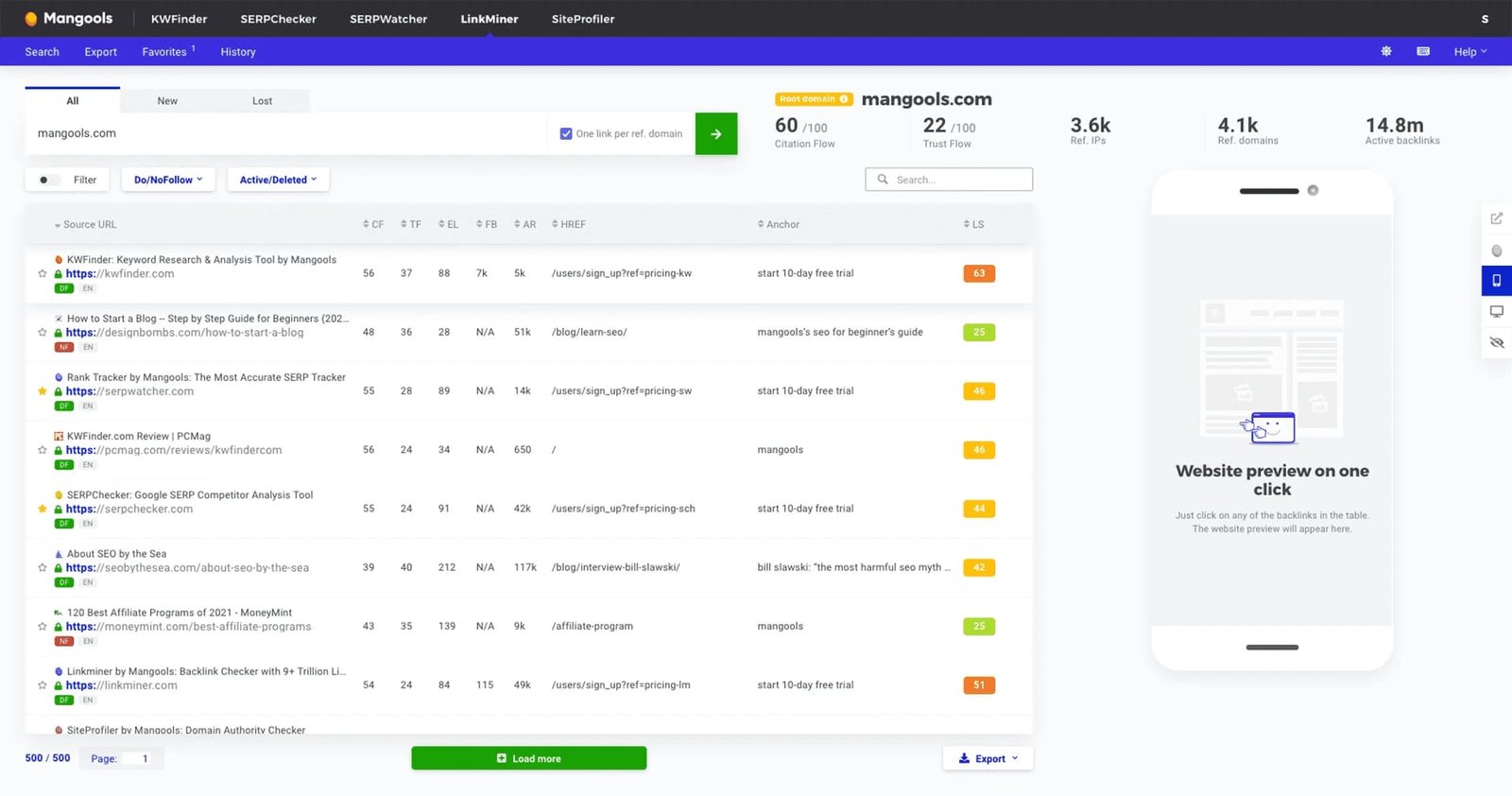
What Are the Best Tools to Find High Search Volume, Low-Competition Keywords?
KWFinder is one of the best tools for finding high search volume, low-competition keywords. Its advanced filtering options and competitor analysis tools make it the ideal solution for discovering profitable keywords.
First, You’re Going to Need a Good Keyword Competition Checker
Before diving into keyword research, you’ll need a keyword competition checker. KWFinder provides accurate KD metrics to help you find keywords that are both valuable and achievable.
1. Skin Care Niche
In niches like skin care, finding low-competition keywords is crucial for standing out. Here’s how to approach keyword research for this niche:
Step 1 – Sort by Low KD
Sort your keyword list by KD to find low-competition options.
Step 2 – Recalculate Potential Keywords
Recalculate your list to see if any keywords have more potential than initially thought.
Step 3 – How to Evaluate Keyword Values
Evaluate keywords based on search volume, KD, and relevance to your target audience.
Step 4 – Evaluate SERP Overview
Look at the SERP to analyze what type of content ranks for each keyword.
What to Look for in the Google Results
Check for content quality, keyword optimization, and user intent in the results.
Step 5 – Make a Keyword List
Create a final list of keywords to target in your content strategy.
2. Hair Care Niche
The hair care niche is another area where targeting low-competition keywords can lead to significant SEO benefits. Focus on:
What About Lower Search Volume Keywords?
Even keywords with lower search volumes can be valuable if they have low competition and high relevance to your audience.
Access KWFinder and Begin Your Research
Now that you understand how to find low-competition keywords, it’s time to get started. Log into KWFinder, input your seed keywords, and begin your journey toward better rankings.
By following these steps, you can find low-competition keywords that will help you rank faster and drive more organic traffic to your site. Remember, SEO is a long-term strategy, but by targeting the right keywords, you can build momentum and increase your chances of success.

