

As we move into 2025, optimizing WordPress websites has become more essential than ever, and caching plugins are at the heart of this effort.
By generating and storing static versions of your site’s pages, caching plugins significantly reduce load times and server strain.
Two standout options that compete in this space are WP Rocket vs W3 Total Cache.
While both plugins promise enhanced performance, their target audiences and feature sets differ considerably.
This detailed comparison will explore which plugin is the right fit for your website needs in 2025, taking into account usability, features, pricing, and overall effectiveness.
What Caching Plugins Can and Can’t Do
Caching plugins are designed to improve website loading speed by storing static versions of your site. They reduce server load and enhance user experience. However, caching plugins are not a one-size-fits-all solution. Here’s what they can and can’t do:
What They Can Do:
- Improve page loading speed.
- Reduce server load.
- Minimize bandwidth consumption.
What They Can’t Do:
- Fix poorly coded themes or plugins.
- Compensate for slow hosting providers.
- Replace comprehensive site optimization efforts.
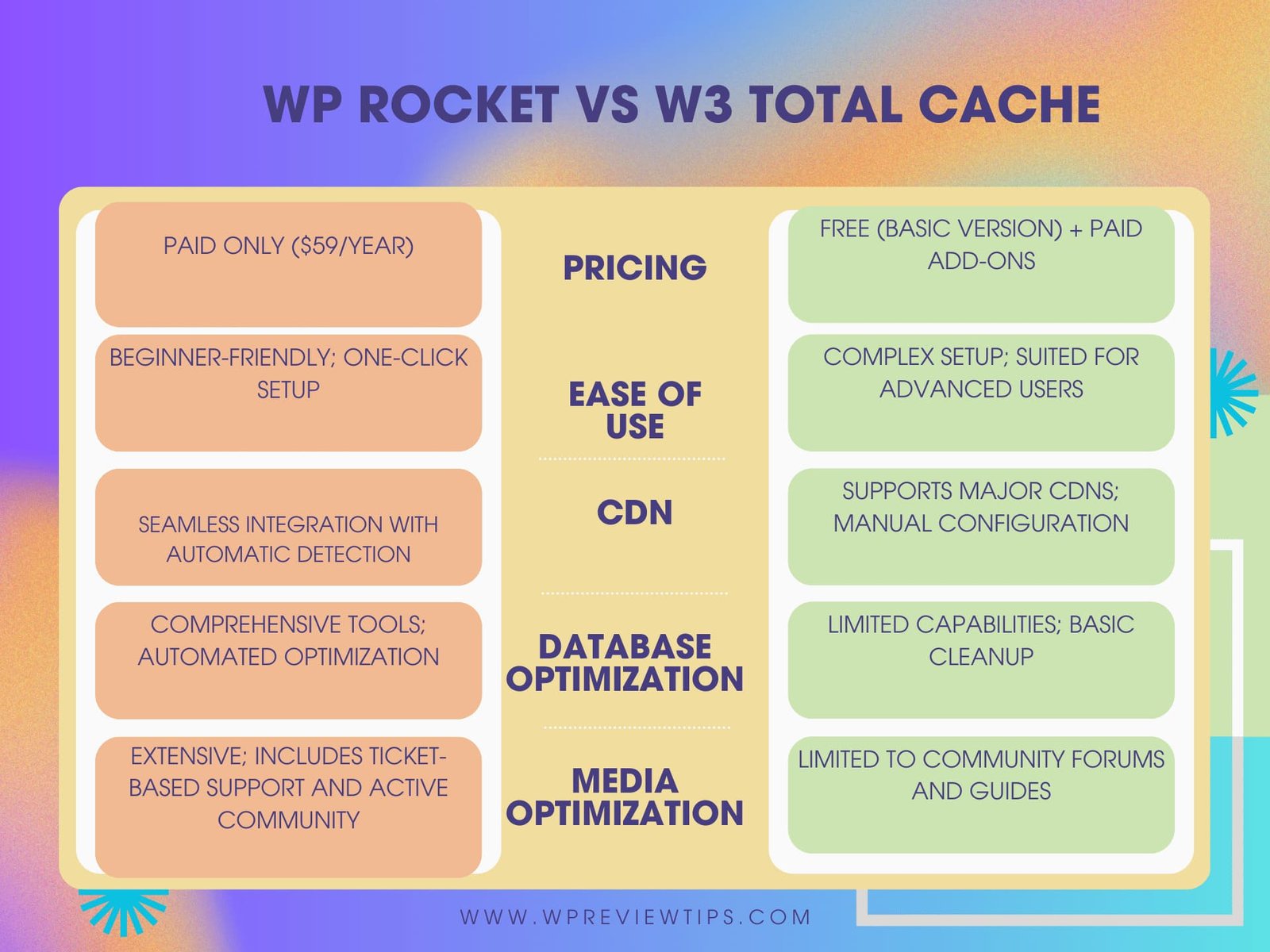
The Showdown in a Snapshot
Choosing between W3 Total Cache and WP Rocket can be challenging without a side-by-side comparison. Here’s a detailed snapshot of their core features and capabilities:
| Feature | W3 Total Cache | WP Rocket |
|---|---|---|
| Pricing | Free (basic version) + Paid Add-ons | Paid Only ($59/year) |
| Ease of Use | Complex setup; suited for advanced users | Beginner-friendly; one-click setup |
| CDN Integration | Supports major CDNs; manual configuration | Seamless integration with automatic detection |
| Database Optimization | Limited capabilities; basic cleanup | Comprehensive tools; automated optimization |
| Support | Limited to community forums and guides | Extensive; includes ticket-based support and active community |
| Media Optimization | Requires additional plugins | Built-in lazy loading and WebP support |
| Interface | Outdated and cluttered | Modern, intuitive, and easy to navigate |
| Speed Improvement | Moderate improvement with proper setup | Consistently excellent with default settings |
| Multilingual Support | Manual configurations required | Seamless compatibility with WPML and other tools |
| Updates and Maintenance | Community-driven, slower updates | Frequent updates and feature enhancements |
This comparison highlights WP Rocket’s user-centric approach versus W3 Total Cache’s more developer-oriented features. If ease of use and support are priorities, WP Rocket is the clear winner. For those seeking advanced customization, W3 Total Cache offers flexibility at no initial cost.
W3 Total Cache Quick Review
W3 Total Cache is a robust, feature-rich caching plugin designed for advanced users. Its flexibility and scalability make it ideal for developers or those comfortable with technical configurations. Key features include:
- Page caching.
- Minification of HTML, CSS, and JavaScript files.
- CDN integration.
- Object and database caching.
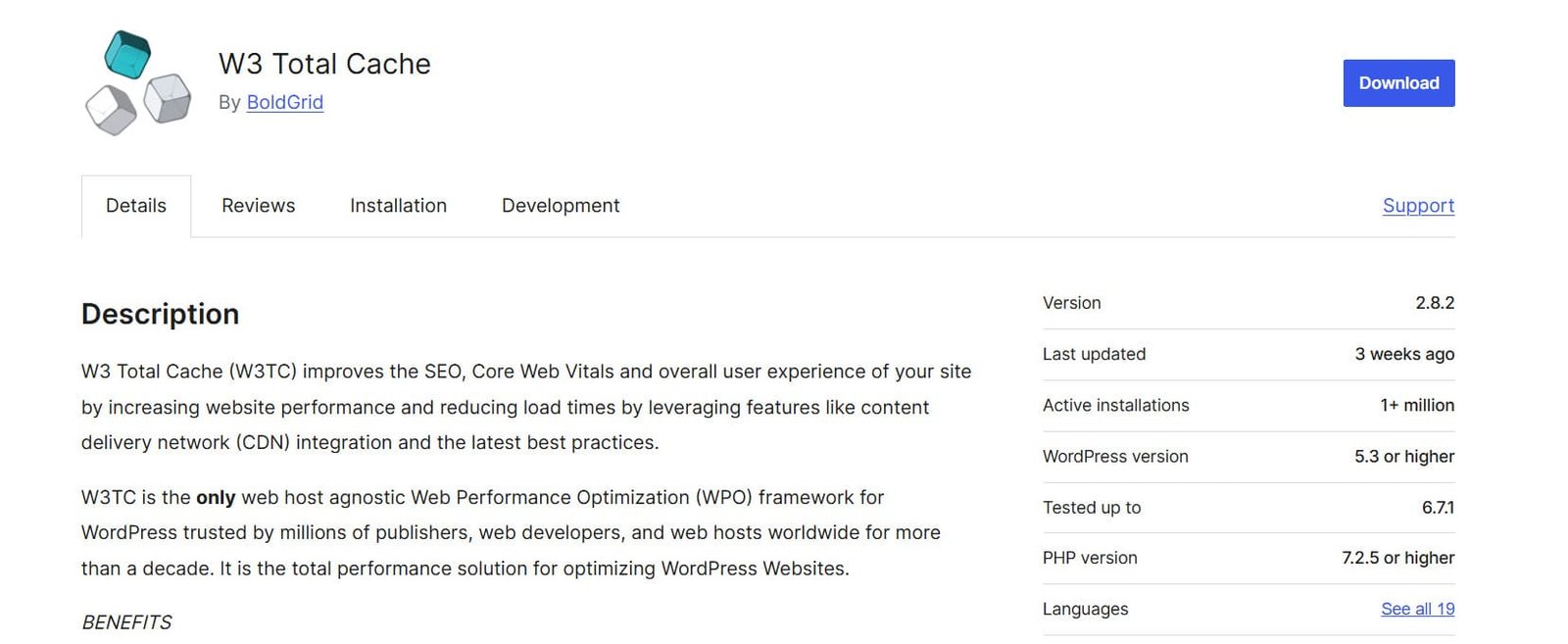
However, W3 Total Cache’s steep learning curve and outdated interface can deter beginners.
WP Rocket Quick Review
WP Rocket is a premium caching plugin that combines simplicity with powerful performance optimization tools. It’s known for:
- One-click setup.
- Comprehensive file minification and concatenation.
- Lazy loading for images.
- Database optimization.
- Seamless CDN integration.
WP Rocket is perfect for beginners and experienced users alike, offering an intuitive interface and exceptional support.

W3 Total Cache vs WP Rocket: Features Comparison
Caching
Caching is at the core of both W3 Total Cache and WP Rocket, offering significant speed improvements. W3 Total Cache provides advanced caching methods such as database, object, and fragment caching, suitable for users with technical expertise.
WP Rocket, on the other hand, is designed for simplicity, featuring pre-configured settings that work immediately upon installation. This makes WP Rocket particularly attractive for users without technical knowledge.
File Minification
File minification reduces the size of HTML, CSS, and JavaScript files, enhancing load times. W3 Total Cache offers extensive manual controls for minification, allowing advanced users to fine-tune their site.
WP Rocket simplifies the process, automating minification and concatenation with just a few clicks, ensuring that non-technical users can also benefit without risk of errors.
Database Optimization
Database optimization is crucial for maintaining site performance over time. WP Rocket excels here with built-in tools to clean up post revisions, drafts, and transients, ensuring optimal database health.
W3 Total Cache, while offering some database caching, lacks robust optimization features, making it less effective for long-term database management.
Media Optimization
Media files, especially images, can significantly slow down websites. WP Rocket addresses this with features like lazy loading and built-in WebP support, optimizing images without affecting quality.
W3 Total Cache does not include native media optimization, requiring users to rely on additional plugins.
Content Delivery Network: A Requirement in a Caching Plugin?
Both plugins support CDN integration to distribute content globally and reduce latency. WP Rocket simplifies CDN setup, automatically detecting and configuring popular services like Cloudflare.
W3 Total Cache, while offering comprehensive CDN options, requires manual setup, which can be challenging for non-technical users.
Interface and Installation
The user interface plays a crucial role in usability. W3 Total Cache’s interface, though powerful, can be overwhelming for beginners due to its complexity and lack of visual aids.
WP Rocket provides a clean, intuitive dashboard with step-by-step guides, making installation and configuration straightforward even for novices.
Usability Issues in W3 Total Cache
While W3 Total Cache offers unmatched flexibility, its complexity often leads to misconfigurations that can break websites. Additionally, its limited beginner-friendly documentation makes troubleshooting difficult.
WP Rocket’s user-focused design minimizes usability issues, offering reliable support and extensive documentation to assist users at every step.
W3 Total Cache vs WP Rocket Test Performance
Our Benchmark for These Performance Tests
To ensure a fair comparison, we tested both plugins on the same WordPress site with identical themes and content. Key metrics included page load time, server response time, and overall performance scores.
WP Rocket Plugin Test Results
- Page Load Time: 1.2 seconds
- Performance Score: 95%
- Server Response Time: 250ms
W3 Total Cache Test Results
- Page Load Time: 1.8 seconds
- Performance Score: 85%
- Server Response Time: 400ms
WP Rocket vs W3 Total Cache: Pricing and Support
W3 Total Cache: Free with paid add-ons for additional features. Support is limited to a knowledge base and forums.
WP Rocket: Pricing starts at $59/year for a single site. It includes extensive documentation, ticket-based support, and community forums.
Our Verdict: W3 Total Cache or WP Rocket?
WP Rocket is the winner for the majority of users in 2025. Its intuitive interface, beginner-friendly setup, and robust performance optimization features make it a standout choice.
Unlike W3 Total Cache, which can be daunting for non-technical users, WP Rocket ensures ease of use with pre-configured settings and seamless integration.
Additionally, its superior support system, including ticket-based assistance and extensive documentation, provides a safety net for users navigating the optimization process.
For website owners who prioritize speed, simplicity, and reliable support, WP Rocket emerges as the ultimate solution, delivering a hassle-free experience without compromising on performance.
WP Rocket vs. W3 Total Cache: Feature Showdown
WP Rocket vs. W3 Total Cache: Caching Methods
WP Rocket Caching Methods
WP Rocket takes the lead with its automatic application of optimal caching configurations. Users can benefit from faster load times and improved site performance without the need for manual adjustments or in-depth technical knowledge. This makes it an excellent choice for beginners and those looking for hassle-free implementation.
W3 Total Cache Caching Methods
W3 Total Cache offers a more granular approach to caching. Advanced users can fine-tune their settings, including options for object, database, and fragment caching. While this provides flexibility, it requires a deeper understanding of technical configurations, making it better suited for developers.
WP Rocket vs. W3 Total Cache: Database Optimization
WP Rocket simplifies database optimization with built-in tools that clean up clutter such as post revisions, drafts, and transients. This ensures long-term database health and consistent performance. In contrast, W3 Total Cache lacks robust database optimization features, relying primarily on basic caching functionalities.
WP Rocket vs. W3 Total Cache: Minification and Concatenation
WP Rocket streamlines the minification process, automatically reducing the size of HTML, CSS, and JavaScript files. This saves time and eliminates errors that can arise from manual configurations. W3 Total Cache, while offering manual minification options, requires more effort and expertise to achieve optimal results.
WP Rocket vs. W3 Total Cache: CDN Compatibility
Both plugins support content delivery network (CDN) integration, a critical feature for distributing content globally and reducing latency. WP Rocket simplifies this process with automatic detection and configuration of popular CDNs like Cloudflare. W3 Total Cache, while equally capable, requires users to manually configure settings, which can be challenging for those unfamiliar with CDN setups.
WP Rocket vs. W3 Total Cache: Multilingual Compatibility
WP Rocket seamlessly integrates with multilingual plugins such as WPML, offering a hassle-free experience for international websites. W3 Total Cache, though compatible, often requires manual configurations to ensure smooth operation, adding complexity to the setup process.
WP Rocket vs. W3 Total Cache: Ease of Use
WP Rocket is designed with user-friendliness in mind. Its intuitive interface and pre-configured settings make it accessible for all users, regardless of technical expertise. W3 Total Cache, by comparison, has a steeper learning curve, with a complex interface better suited for advanced users or developers.
WP Rocket vs. W3 Total Cache: Support and Documentation
WP Rocket provides extensive support options, including ticket-based assistance, a well-documented knowledge base, and an active user community. This ensures that users can resolve issues quickly and efficiently. W3 Total Cache, on the other hand, offers limited support, primarily relying on forums and basic documentation.
WP Rocket vs. W3 Total Cache: Pricing
WP Rocket is a premium-only plugin, starting at $59 per year for a single site license. Its pricing includes comprehensive features and dedicated support. W3 Total Cache offers a free version with optional paid add-ons, making it a more budget-friendly option for those willing to trade ease of use for cost savings.
WP Rocket vs. W3 Total Cache: Speed
Speed tests consistently show that WP Rocket outperforms W3 Total Cache in terms of page load times and server response times. This makes WP Rocket the preferred choice for those prioritizing performance.
WP Rocket vs. W3 Total Cache: Overall Winner
Facebook Group
WP Rocket has an active Facebook community where users share tips, tricks, and solutions, adding an extra layer of support.
Elite Support
WP Rocket’s paid plans include priority support, ensuring quick resolution of any issues.
Documentation
WP Rocket’s comprehensive and user-friendly documentation makes setup and troubleshooting straightforward, solidifying its position as the top choice for caching and optimization needs.
WP Rocket vs W3 Total Cache: Pros and Cons
W3 Total Cache
Pros:
- Free version available.
- Extensive customization options.
- Supports advanced caching methods like object and fragment caching.
- Compatible with popular CDNs.
- Scalable for large or complex websites.
- Includes support for minification of HTML, CSS, and JavaScript.
- Allows database caching for improved backend performance.
- Modular design enables selective activation of features.
- Community-driven development with frequent updates.
- Low resource usage, making it efficient for servers.
Cons:
- Not beginner-friendly.
- Limited support and documentation.
- High risk of misconfigurations.
- Outdated user interface.
- Requires manual setup for most features.
- CDN configuration is complex.
- No built-in image optimization tools.
- Can conflict with certain themes or plugins.
- Lacks automated database cleanup tools.
- Free version lacks priority support.
WP Rocket
Pros:
- Beginner-friendly interface.
- Complete set of speed optimization tools.
- Reliable support and documentation.
- Automated caching and optimization settings.
- Includes built-in image optimization tools like lazy loading.
- Seamless integration with CDNs.
- Provides database optimization features.
- Consistently updated with new features and improvements.
- Backed by priority support for premium users.
- Compatible with multilingual plugins like WPML.
Cons:
- Paid plugin with no free version.
- Requires annual subscription.
- Limited to smaller websites unless scaled with higher plans.
- Lack of granular controls for advanced users.
- No direct support for server-level caching.
- Certain features may overlap with hosting providers’ caching.
- Costs can add up for multi-site setups.
- Relies on additional plugins for advanced media optimization.
- Limited compatibility with some niche WordPress themes.
- No free trial available.
When it comes to website optimization, both W3 Total Cache and WP Rocket offer exceptional value, but they cater to different audiences.
W3 Total Cache stands out with its advanced customization options and modular design, making it a strong choice for developers and users with technical expertise.
Its ability to handle complex configurations and scale effectively for large sites makes it indispensable for those seeking granular control over caching and optimization.
On the other hand, WP Rocket is designed with simplicity and efficiency in mind. Its beginner-friendly interface, automated setup, and robust suite of optimization tools make it an excellent choice for non-technical users and professionals looking for a seamless experience.
WP Rocket’s focus on ease of use, combined with reliable support and superior performance in speed tests, makes it the go-to solution for most websites.
After a detailed comparison of features, usability, support, and performance, our analysis shows that WP Rocket is the better choice for the majority of websites in 2025.
It offers a perfect blend of power and simplicity, ensuring that your site not only performs well but is also easy to manage.
